
The Naewe Dashboard has been redesigned. Everything you could do before is still here — but some things moved and some names changed. This page walks through each change with before-and-after views so you can find your way immediately.
1. New navigation: sidebar + Create menu
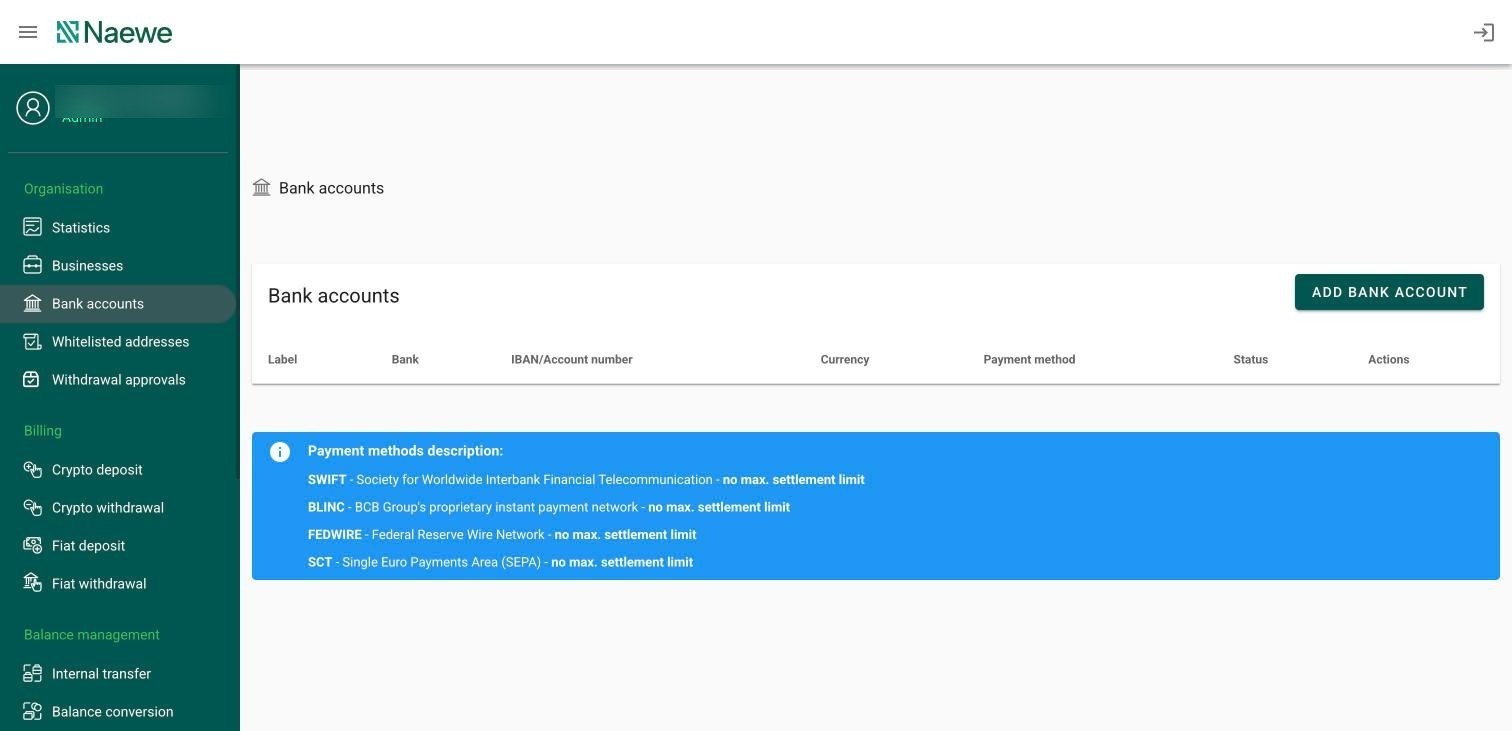
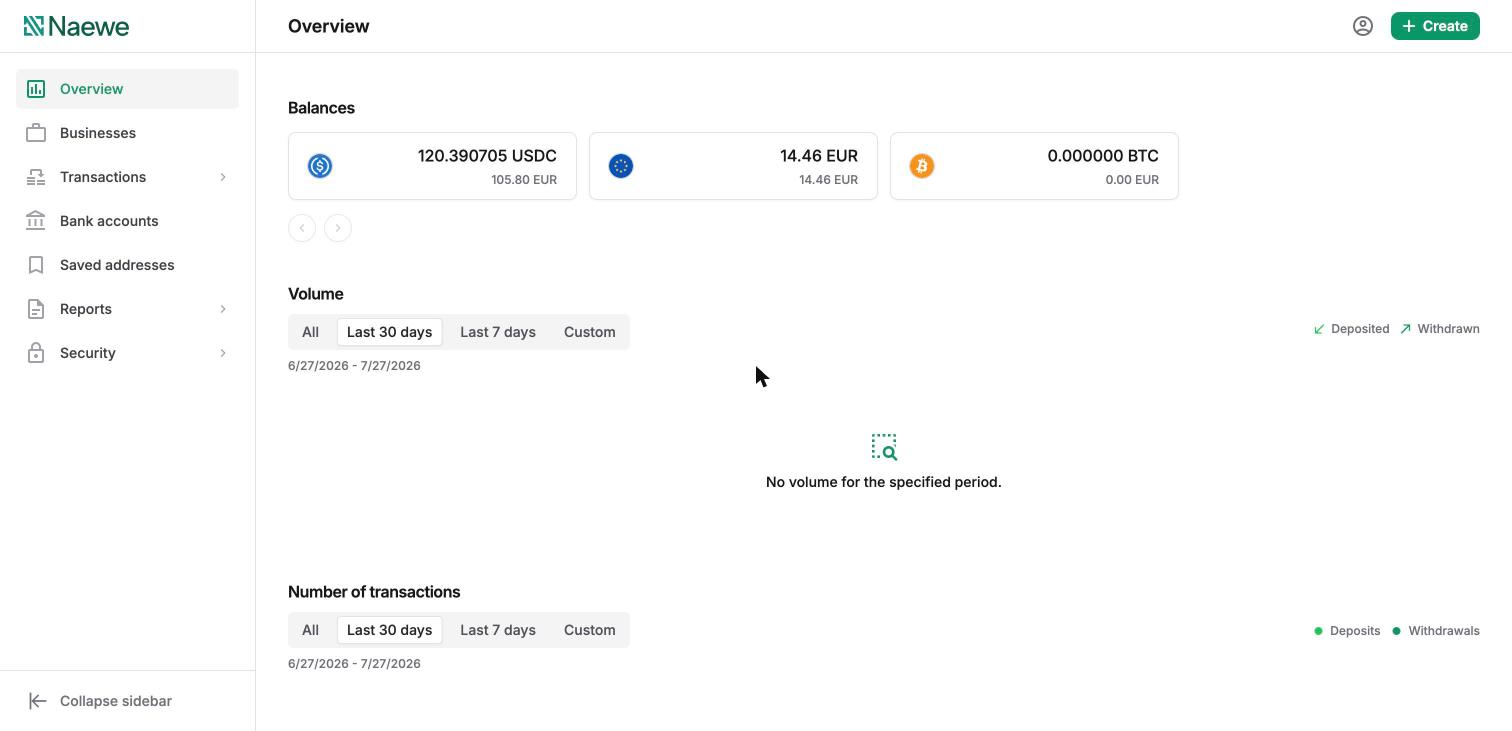
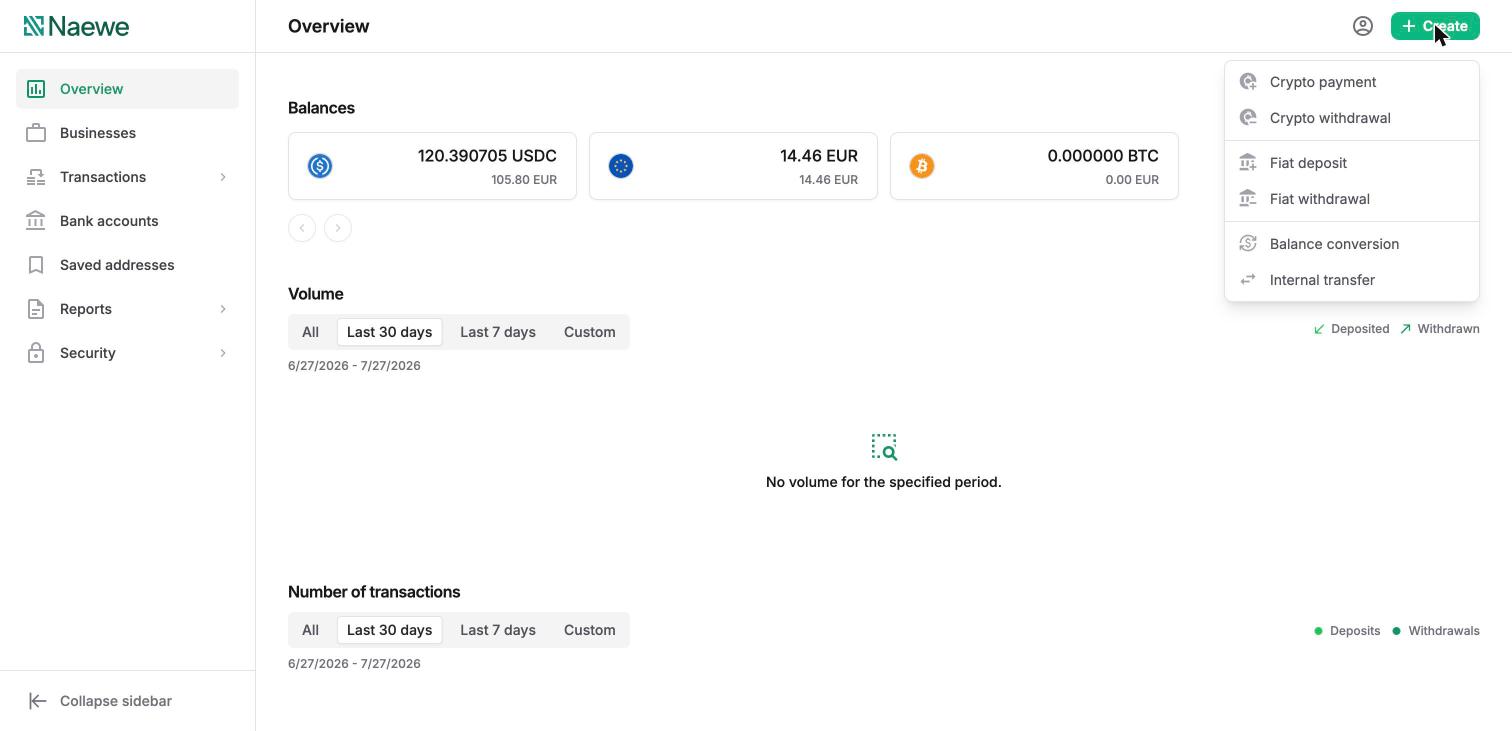
The old dashboard organised actions into sections — Organisation, Billing, Balance management, Reporting, Settings. The new dashboard has a compact sidebar (Overview, Businesses, Transactions, Bank accounts, Saved addresses, Reports, Security) and a global Create menu in the top bar for starting any transaction from anywhere: crypto payment, crypto withdrawal, fiat deposit, fiat withdrawal, balance conversion, or internal transfer.
Before — sectioned menu:
After — sidebar and Overview page:
The new Create menu:
2. "Crypto deposit" is now "Crypto payment"
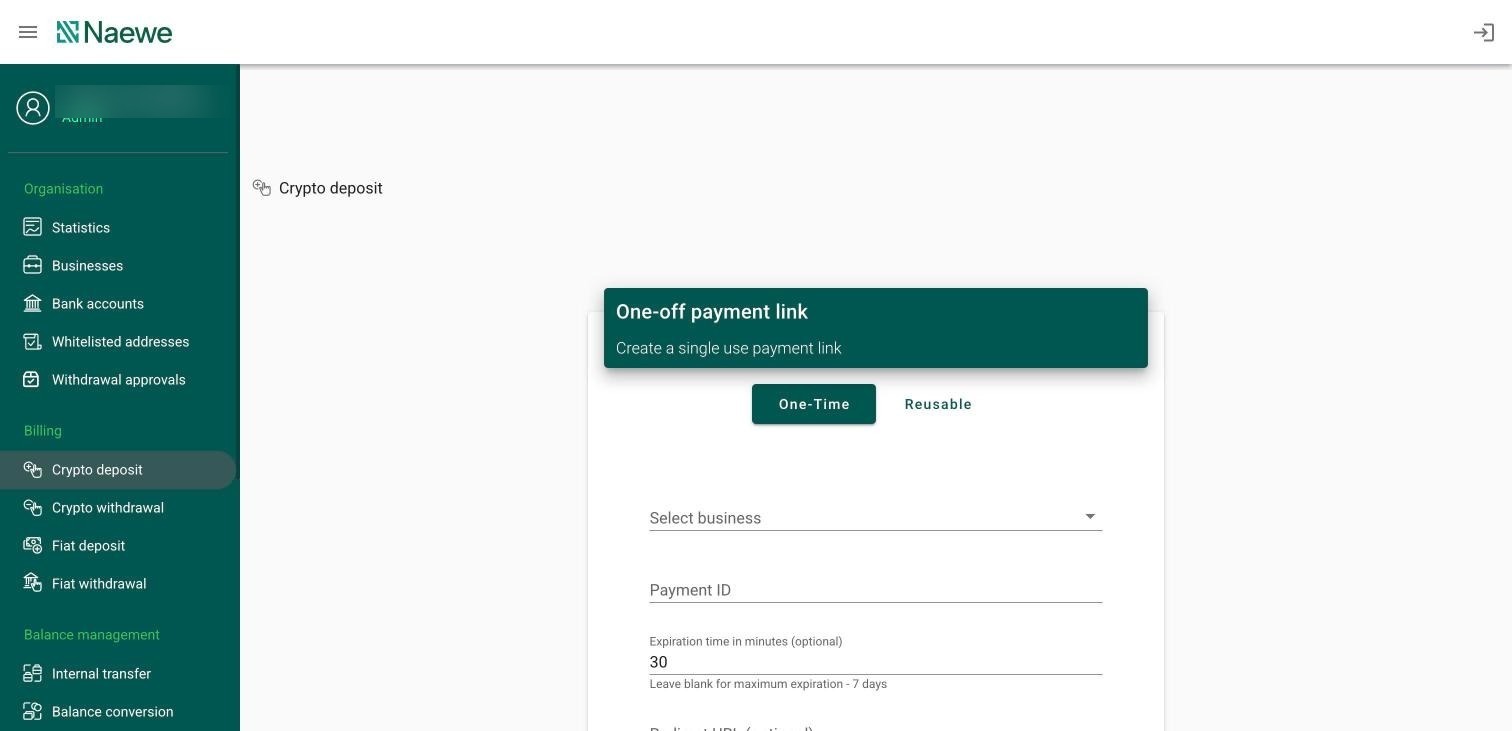
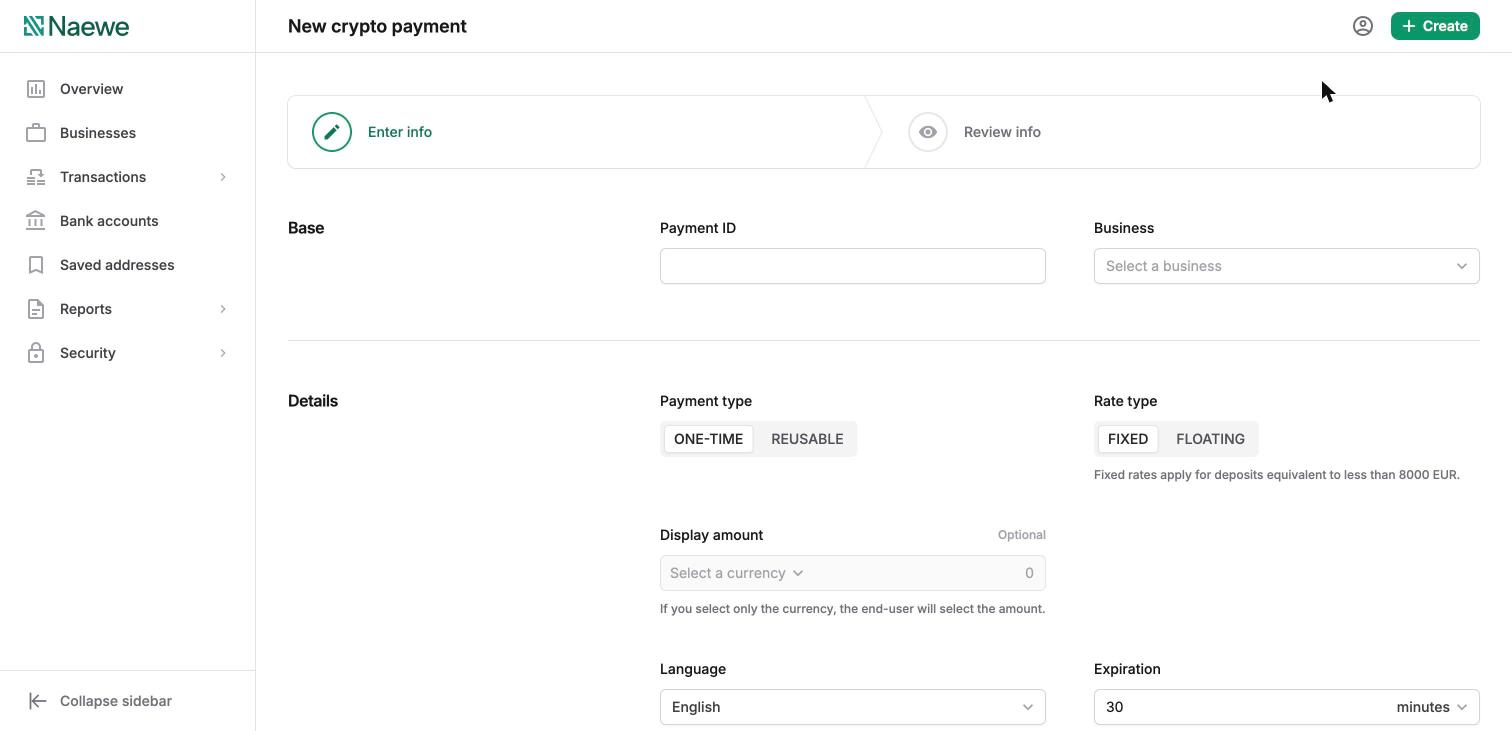
Creating a payment link — previously Billing → Crypto deposit — is now Create → Crypto payment. Same one-time and reusable types, with the options laid out in a two-step form (Enter info → Review info): Payment ID, Business, payment type, rate type, display amount, language, expiration, and optional redirect URL. "Crypto deposits" now refers to the funds received against your payment links.
Before — Crypto deposit:
After — New crypto payment:
3. Finding records: the Transactions view
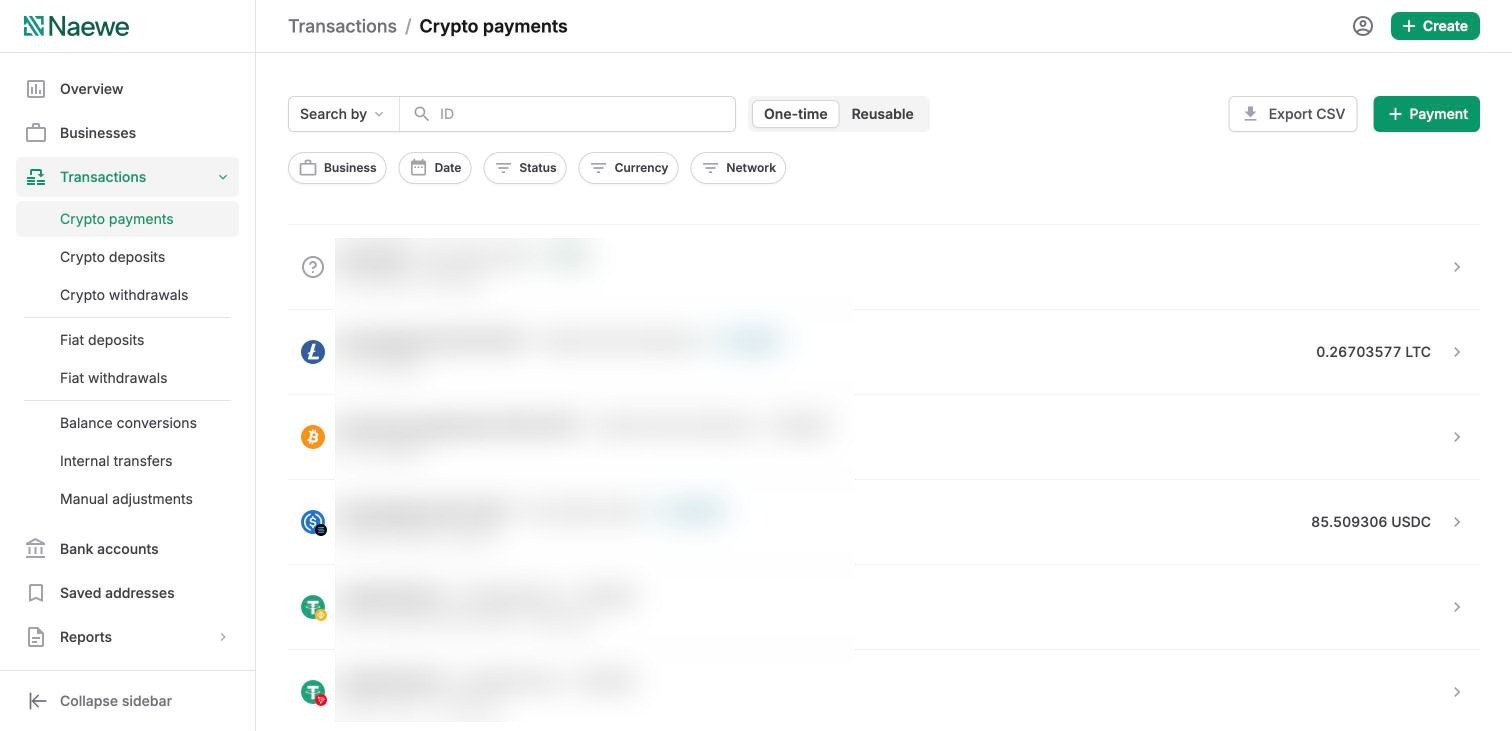
Previously you found deposits and withdrawals by expanding a Business. Now all records live under Transactions in the sidebar, grouped by type — crypto payments, crypto deposits, crypto withdrawals, fiat deposits, fiat withdrawals, balance conversions, internal transfers, and manual adjustments — with search, filters, and CSV export.
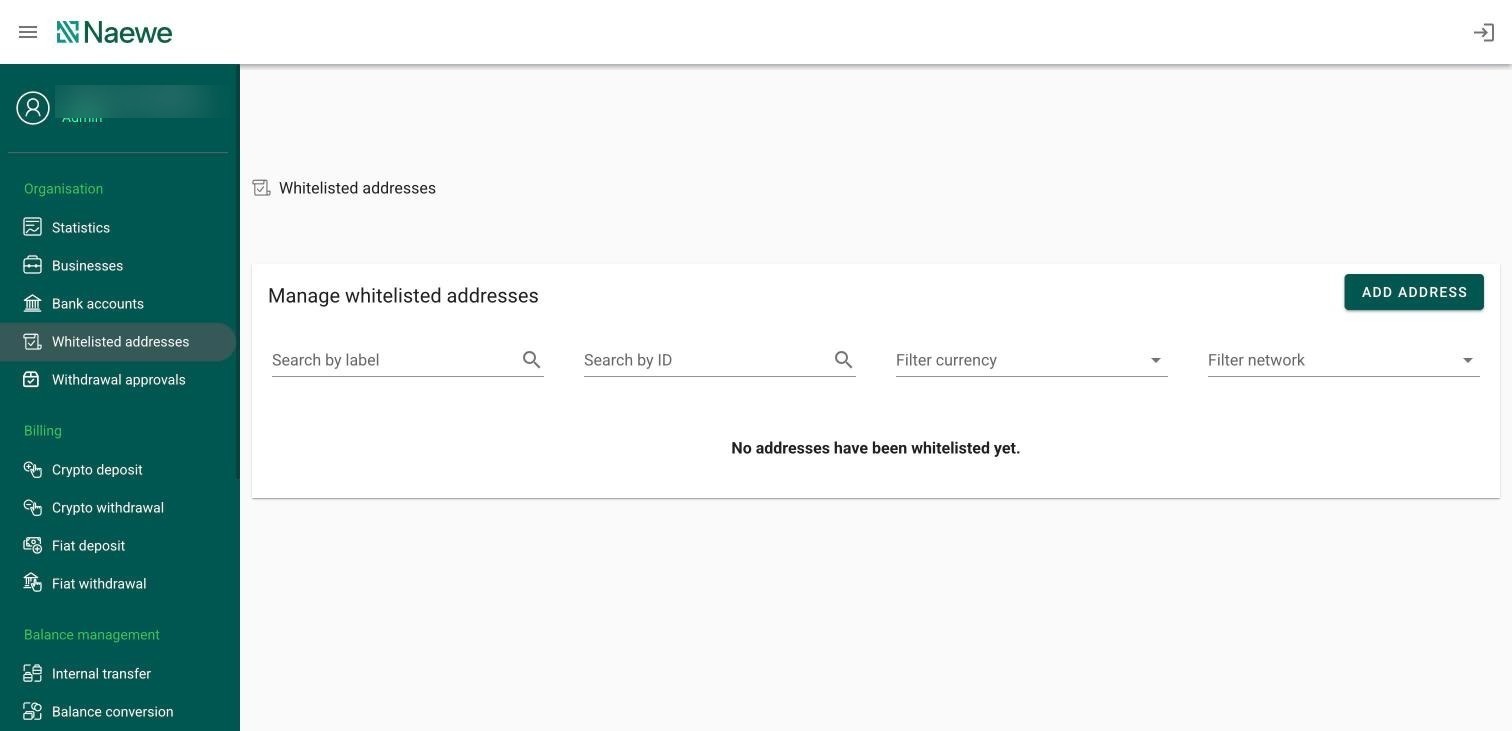
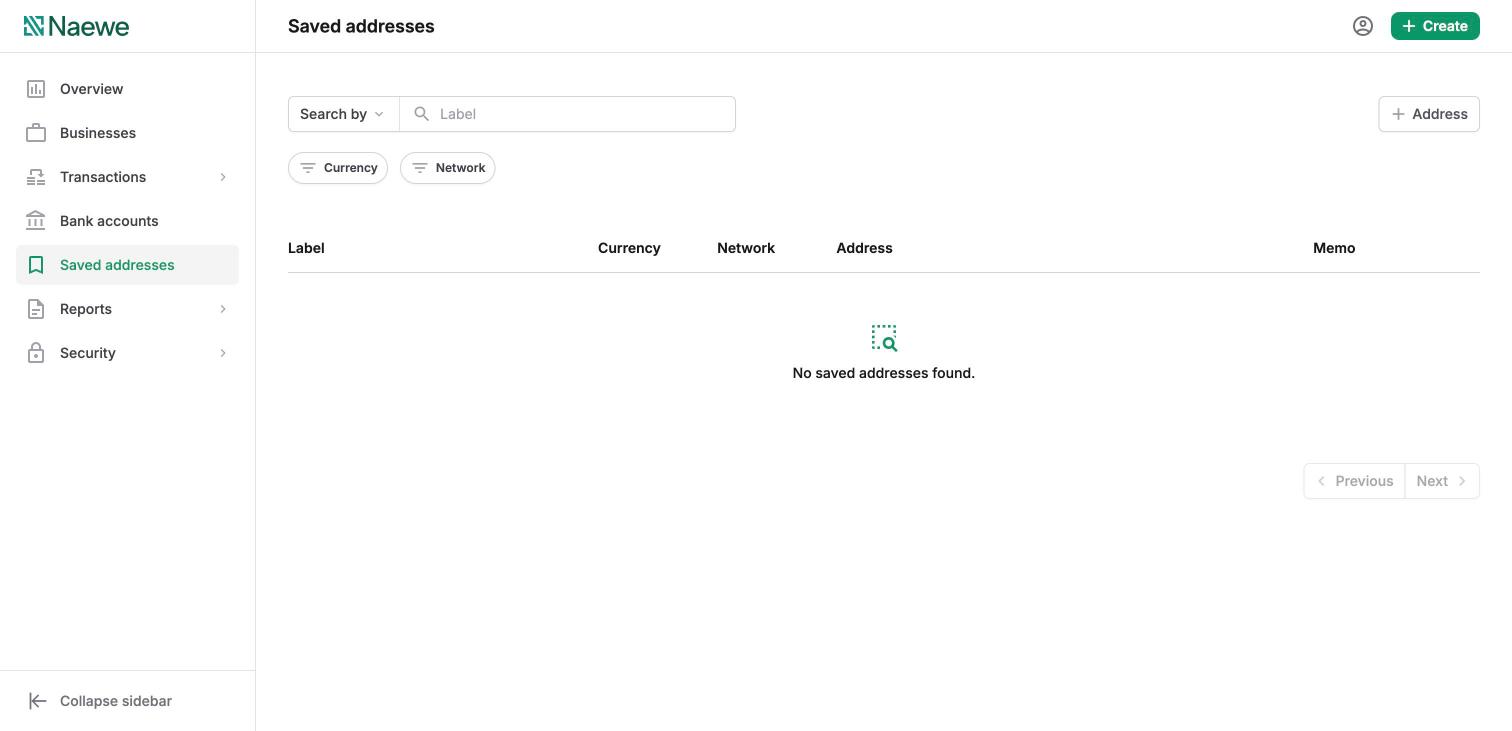
4. "Whitelisted addresses" is now "Saved addresses"
The same trusted-payout-address feature, renamed and given its own sidebar entry, with search and filters by currency and network.
Before:
After:
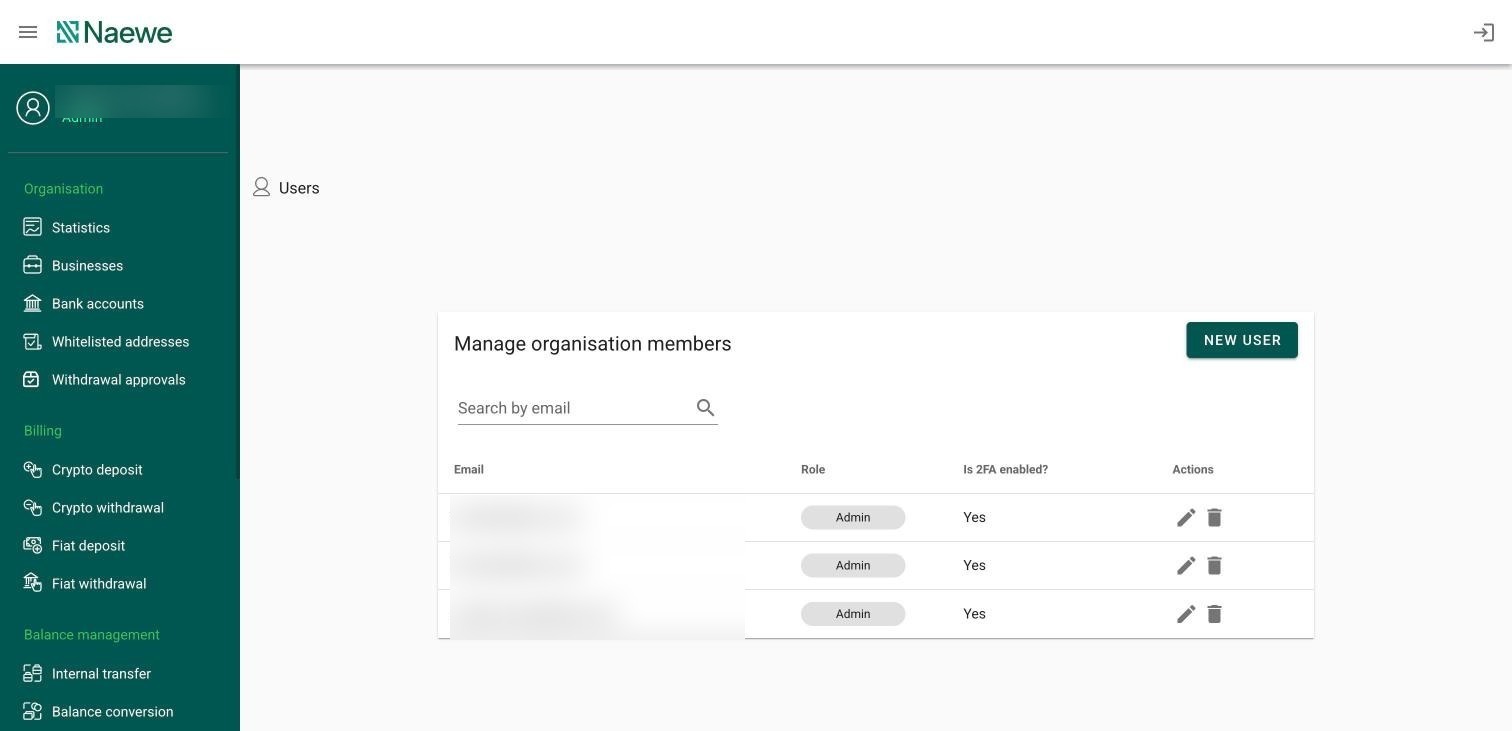
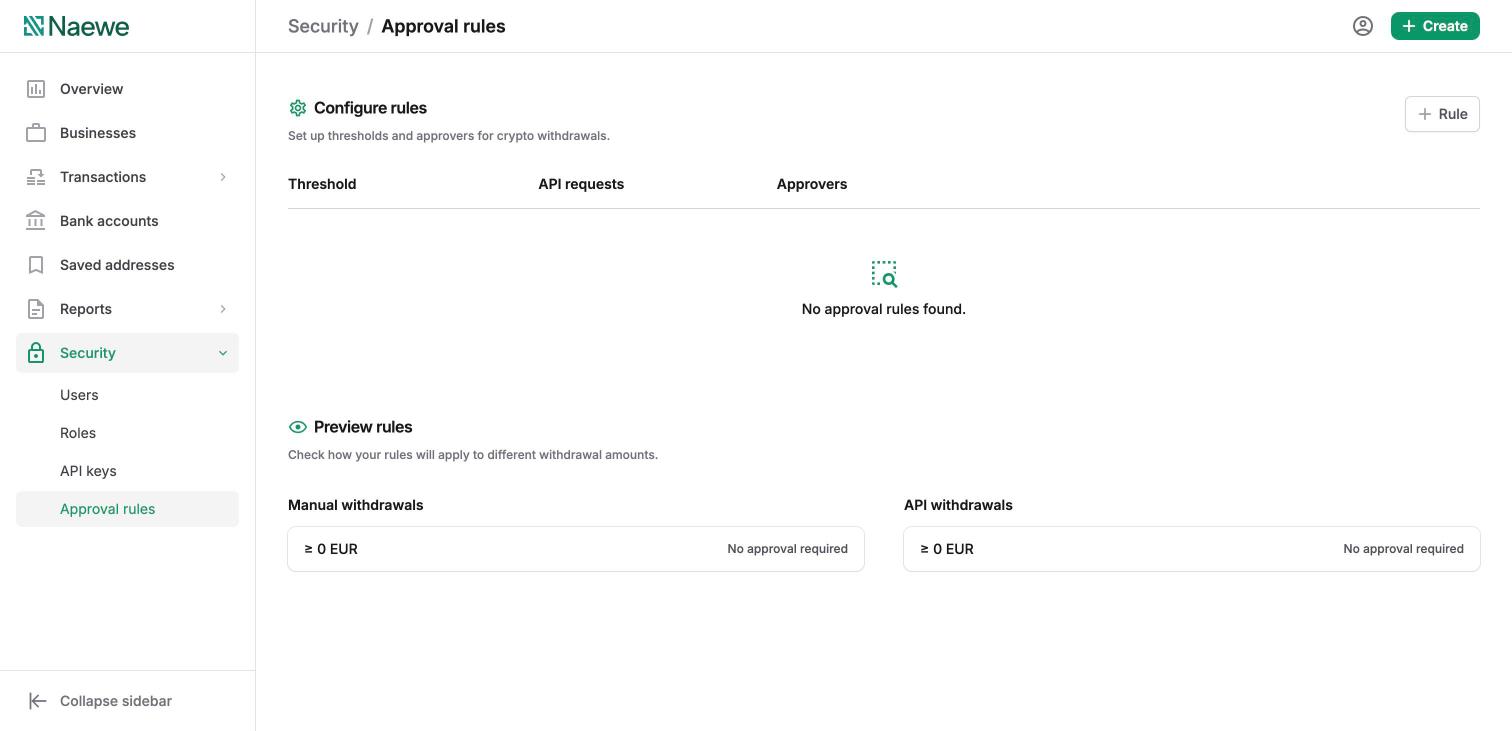
5. Users, Roles & API keys moved to Security — plus new Approval rules
User management moved from Settings into a dedicated Security section: Users, Roles (previously "User roles"), API keys, and the new Approval rules, which let you require designated approvers for crypto withdrawals above thresholds you set.
Before — Users under the old menu:
After — Security section with the new Approval rules:
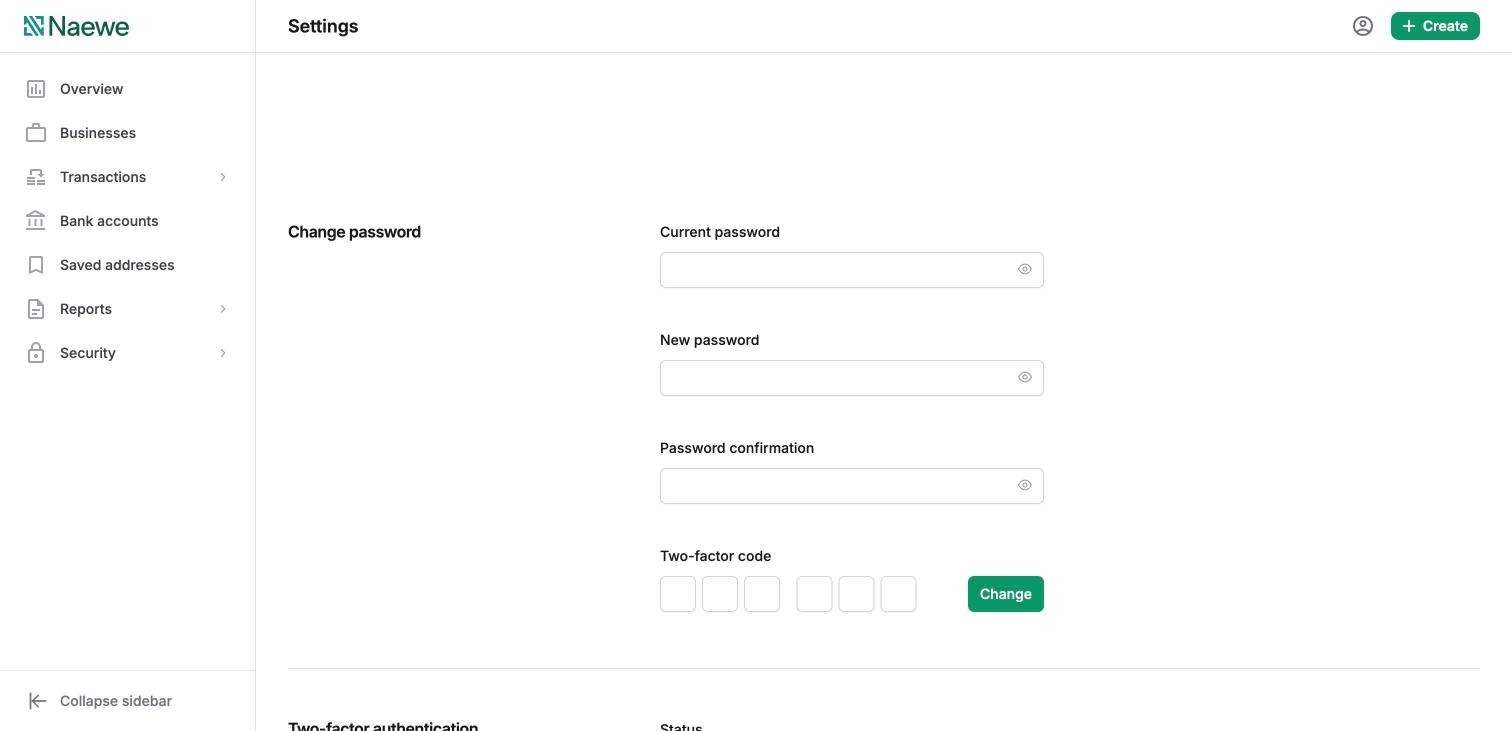
6. Password & two-factor authentication moved to Settings
Your personal security settings — password change and 2FA — now live in the user menu → Settings (previously "Two-factor authentication" was an item in the navigation menu). When you perform a sensitive action, the dashboard asks for your 2FA code at the Review step of the form.
7. Switching back to the legacy dashboard
Prefer the familiar layout while you settle in? For a limited time you can switch back to the legacy dashboard and return to the new one whenever you are ready. Note that the legacy dashboard will remain available for only about a week before it is retired.
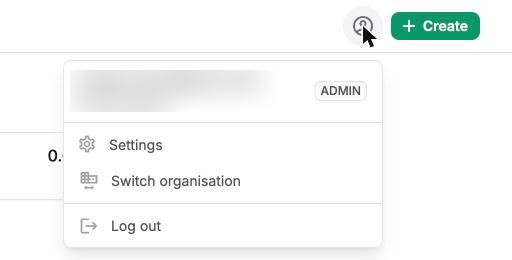
Step 1 — Open the user menu in the top-right corner and select Settings:
Step 2 — At the top of the Settings page, click Switch to legacy in the banner:

Step 3 — That’s it. You will be taken straight to the legacy dashboard. To return to the new dashboard, click Switch dashboard in the banner at the top of the legacy dashboard:

Quick reference: old name → new location
|
In the old dashboard |
In the new dashboard |
|---|---|
|
Billing → Crypto deposit |
Create → Crypto payment |
|
Billing → Crypto withdrawal |
Create → Crypto withdrawal |
|
Billing → Fiat deposit / Fiat withdrawal |
Create → Fiat deposit / Fiat withdrawal |
|
Balance management → Internal transfer / Balance conversion |
Create → Internal transfer / Balance conversion |
|
Organisation → Statistics |
Overview |
|
Organisation → Businesses |
Businesses |
|
Organisation → Bank accounts |
Bank accounts |
|
Organisation → Whitelisted addresses |
Saved addresses |
|
Organisation → Withdrawal approvals |
Security → Approval rules |
|
Reporting → Balance confirmation / Transaction ledger |
Reports |
|
Settings → Users / User roles / API keys |
Security → Users / Roles / API keys |
|
Two-factor authentication |
User menu → Settings |
|
Expand business → Deposits tab |
Transactions → by type |
Can't find something? Contact support@naewe.com and we'll help you find your way.